




Windscribe

Free VPN for LG TV.

10 GB/Month.No App Needed.

webOS doesn't allow VPN apps, but your LG can still run through Windscribe via your router, Windows PC, or a plug-in streaming stick.
Get Windscribe
Rated 4.7 by Trustpilot • 13K reviews
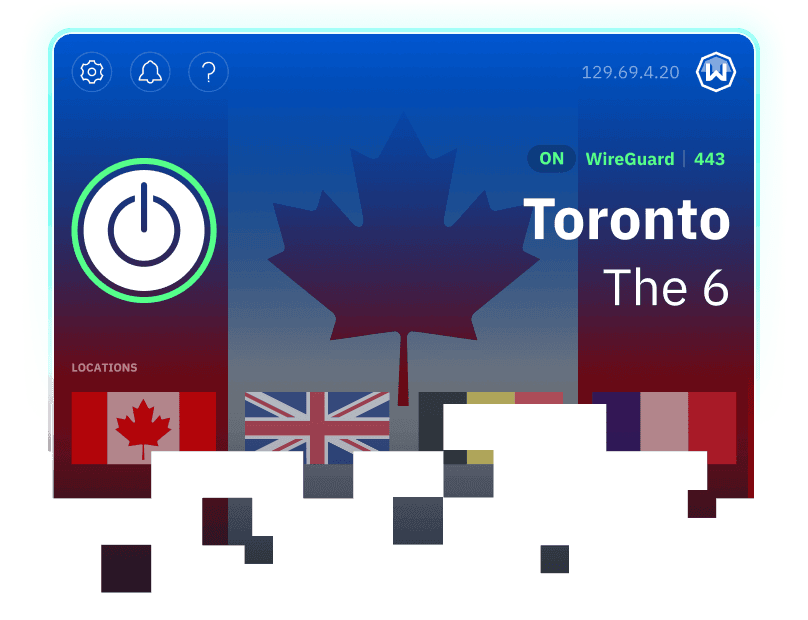
Windscribe for LG TV, connected and sitting over the planet

Built for LG TV's Walled Garden

Good thing we're great at climbing fences.
  • Operating System
    webOS
  • Hardware
    OLED evo, QNED, NanoCell & UHD
  • Installation
    Router, PC Hotspot, Streaming Stick
  • Best Setup
    Router or streaming stick
What about the VPNs in the LG Content Store? They usually aren't device-wide VPN apps. LG doesn't let providers build device-wide VPN apps for webOS, so what you'll usually find there are proxy or DNS-style services.
Windscribe on LG TV specifications

Privacy You Can Verify

How to install

Set Up Windscribe on LG TV

  1. 1. Choose Your Route
    A router setup, a Windows PC hotspot, or a streaming stick in your LG's HDMI port.
  2. 2. Get Windscribe Running
    Add a router config, turn on Secure Hotspot, or install the stick app.
  3. 3. Connect the TV
    Pick the protected Wi-Fi in webOS or use the stick's input.
Free vs Pro

What You Get for Free (and What Pro Adds)

Windscribe Free has Pro's encryption, with a monthly data cap and fewer locations.
Data
Locations
Devices
Setup
Extras
PopularFree$0, forever
Data
10 GB data per month: 2 GB before you confirm your email
Locations
10 countries: US, Canada, Germany, Switzerland and 6 more
Devices
Unlimited devices: No cap on devices you can use at once
Setup
Secure Hotspot & Fire TV App: Cover your LG TV via PC or streaming stick
Extras
Same encryption as Pro: AES-256 and a strict no-logs policy

RecommendedProfrom $3/mo
Data
Unlimited data: No strings attached
Locations
69+ countries, 135+ cities: The full suite of Windscribe locations
Devices
Unlimited devices: No cap on devices you can use at once
Setup
Router Configs: Protect every device at home connected to your Wi-Fi
Extras
Static IP add-on: The same IP every time for fewer proxy errors

Free Forever. Why?

Free is our marketing budget. We don't run ads, sell your data, or sneak you into a paid trial.
Need more data or countries? Go Pro. Post about us on X and get an extra 5 GB every month. Yes, really.
Get Windscribe

4 Ways to Use Windscribe With LG TV

  • Streaming Stick
    Fire TV Stick, Android TV, or Google TV device, plugged into HDMI.
  • Router
    Encrypts your LG TV apps and the whole home network.
  • Secure Hotspot
    Share a VPN connection from your Windows PC.
  • Control D
    Our DNS-based option for location routing and filtering. Set up separately.

Stream What You Actually Want to Watch

Part of Windscribe's job is bringing the shows that aren't always available in your region to your living room.

Get Windscribe for LG TV

webOS built a fence, so we brought a ladder. Pick a setup and stream the world from your couch.

Frequently Asked Questions

Can I install Windscribe directly on my LG TV?

No. LG uses webOS, which doesn't support native VPN apps. To get Windscribe working, you'll need to use one of the four methods mentioned above, like a router setup or Smart DNS.

What's the difference between Smart DNS and a VPN?

Smart DNS only swaps your DNS addresses to spoof your location for streaming; it doesn't encrypt your data. A VPN creates a secure, encrypted tunnel for your entire connection. Use ControlD for speed and unblocking, or the router method for total privacy.

Will a VPN slow down my LG TV?

It depends on your setup. Smart DNS has zero impact on speed. With a router, your speed is usually limited by the router's processor (cheap ones might max out at 50-150 Mbps), while Secure Hotspot depends on your PC's hardware.

My streaming app still shows local content. Why?

LG apps often cache your region or tie it to your LG account. If a VPN doesn't fix it immediately, try clearing the app's cache, signing out and back in, or, as a last resort, performing a factory reset on the TV.

Does Windscribe work on older LG TVs?

Yes. It works with any TV that has Wi-Fi via router or Secure Hotspot connection methods. On the other hand, Smart DNS works on almost any model running webOS 3.0 or newer, as long as the network settings allow you to enter a DNS address manually.

Is the Bright VPN in the LG Store the same type of VPN as Windscribe?

Not even close. Bright VPN uses a residential proxy model, meaning they use your TV's bandwidth to power their business. Windscribe is a traditional consumer VPN that focuses on your privacy, not selling your idle connection.