


Windscribe

Free VPN for Android TV.

10 GB/Month.On Google Play.

One native app for Android TV and Google TV devices, like Sony, TCL, Hisense, NVIDIA Shield, and Chromecast. Get up to 10 GB free.
Download for Android TV
Rated 4.7 by Trustpilot • 13K reviews
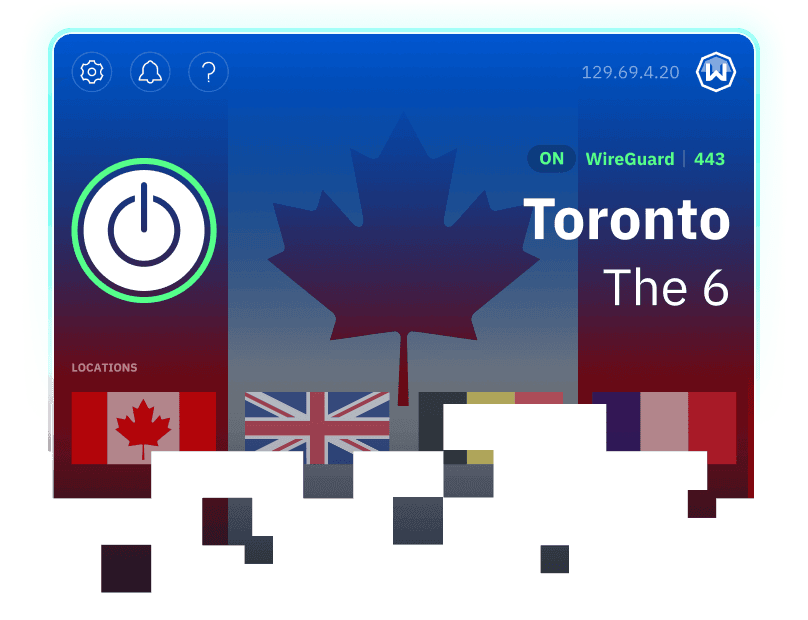
Windscribe for Android TV, connected and sitting over the planet

Built for Android TV & Google TV

If your home screen looks like a Google-fied billboard, Windscribe runs on it natively.
  • Operating System
    Android TV & Google TV
  • Hardware
    Sony, TCL, Hisense, NVIDIA Shield, Chromecast
  • Installation
    Google Play, APK sideload, or F-Droid
  • Sign-In
    Lazy Login, 6-Digit Code
Using an LG, Samsung, or Roku TV? Those don't run Android TV, so the app won't install directly. Put Windscribe on your router instead, or share a VPN connection from your compatible Windows PC with Secure Hotspot.
Windscribe on Android TV specifications

Privacy You Can Verify

How to install

Set Up Windscribe on Android TV in Seconds

  1. 1. Search & Install
    Find Windscribe on Google Play and hit Install.
  2. 2. Link
    Select Lazy Login and enter the code on your phone or laptop.
  3. 3. Connect
    Pick a server with your remote and stream. No typing required.
Free vs Pro

What You Get for Free (and What Pro Adds)

Windscribe Free is the same TV app and same encryption as Pro, with a monthly data cap and fewer locations.
Data
Locations
Devices
Sign-In
Extras
PopularFree$0, forever
Data
10 GB data per month: 2 GB before you confirm your email
Locations
10 countries: US, Canada, Germany, Switzerland and 6 more
Devices
Unlimited devices: No cap on devices you can use at once
Sign-In
Lazy Login: Sign in with a 6-digit code, no remote typing
Extras
Same encryption as Pro: AES-256 and a strict no-logs policy

RecommendedProfrom $3/mo
Data
Unlimited data: No strings attached
Locations
69+ countries, 135+ cities: The full suite of Windscribe locations
Devices
Unlimited devices: No cap on devices you can use at once
Sign-In
Lazy Login: Sign in with a 6-digit code, no remote typing
Extras
Static IP add-on: The same IP every time, for fewer proxy errors

Free Forever. Why?

Free is our marketing budget. We don't run ads, sell your data, or sneak you into a paid trial.
Need more data or countries? Go Pro. Post about us on X and get an extra 5 GB every month. Yes, really.
Download for Android TV

4 Ways to Use Windscribe With Android TV

  • Google Play
    The quickest route on any Android or Google TV.
  • APK Sideload
    No Play Store? Load the APK via USB instead.
  • F-Droid
    Open-source install with automatic updates baked in.
  • Router
    Covers LG, Samsung, Roku, and everything else at home.

Stream What You Actually Want to Watch

Part of Windscribe's job is bringing the shows that aren't always available in your region to your living room.

Get Windscribe for Android TV

Install once, sign in from your phone, and stream privately on every Google-powered screen in the house.

Frequently Asked Questions

Do I need a VPN for Android TV?

If you only watch local services on your home WiFi, probably not. But if you want to watch geo-locked content, stop your ISP from throttling your 4K streams, or use Kodi without your ISP logging every domain you visit, then yes.

Will Windscribe slow down my streaming speeds?

Using WireGuard on a nearby server, you'll usually keep 80-95% of your speed. Our backbone runs on 10 Gbps ports to prevent congestion. A 100 Mbps line still has plenty of overhead for 4K; if you're on a distant server, you might need to drop to 1080p.

Is the free tier really enough for streaming?

It depends on your habits. 10GB buys you about 3 hours of HD streaming. It's perfect for a specific sports event or a few movies, but daily bingers will eventually need to upgrade.

Can I install Windscribe on NVIDIA Shield, Chromecast, or Sony TVs?

Yes. It's the same native app and the same setup flow. Windscribe runs on any device using the Android TV or Google TV OS, including the NVIDIA Shield, Chromecast with Google TV, and TVs from Sony, TCL, and Hisense.

Does it work with Fire TV?

It does, but you should grab the Fire TV-specific build from the Amazon Appstore. While Fire OS is based on Android, it's a different ecosystem. Your Windscribe account and all server locations remain the same.

Can I use Windscribe and Kodi together?

Yes. Connect to a Windscribe server first, then launch Kodi. All your Kodi traffic will route through the encrypted tunnel automatically, which is ideal if your ISP tends to throttle streaming traffic.

What if I have an LG, Samsung, or Roku TV instead?

Those don't run Android, so you can't install the app directly. You have two easy fixes: use our sister service, ControlD, to unblock content via DNS, or use our Secure Hotspot feature to share a VPN connection from your computer.